How to Convert More Leads to Jobs by Managing Your Entire Sales Cycle in One Platform Leads are everywhere. Potential customers search online, read reviews, and reach out to multiple businesses before

How to Convert More Leads to Jobs by Managing Your Entire Sales Cycle in One Platform Leads are everywhere. Potential customers search online, read reviews, and reach out to multiple businesses before

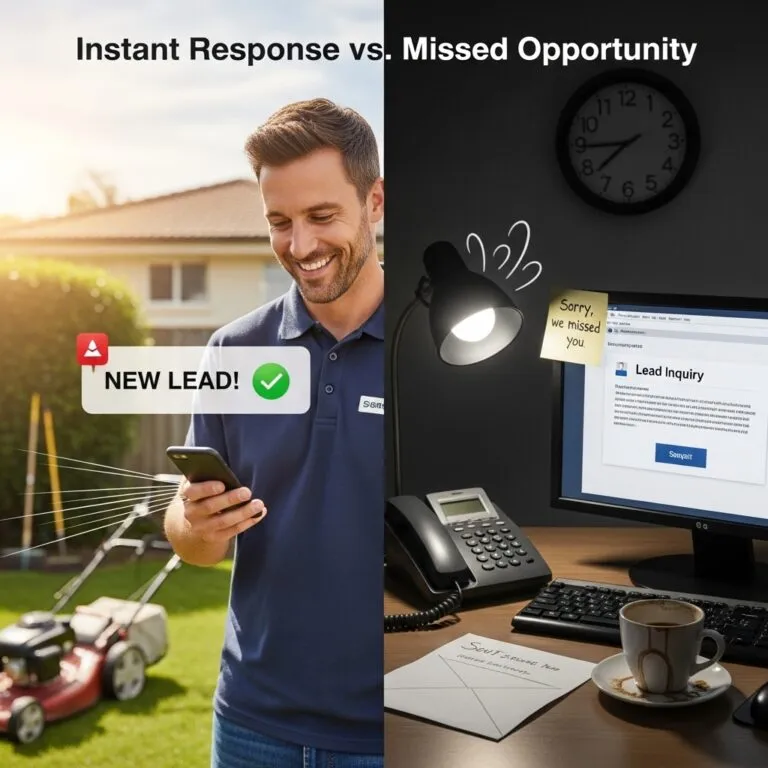
Leads are everywhere. Potential customers search online, read reviews, and reach out to multiple businesses before making a decision. But here’s the problem: the company that responds first wins 40% more jobs than competitors who wait.
Most service businesses lose leads not because they lack inquiries, but because their systems can’t keep up. When you’re jumping between a spreadsheet for contacts, an email inbox for quotes, a calendar for scheduling, and a separate tool for invoices, leads fall through the cracks. By the time you follow up, the customer has already booked someone else.
The solution isn’t more leads. It’s a better system for converting the leads you already have into booked jobs. That means managing your entire lead-to-job cycle in one platform where every inquiry gets tracked, every follow-up happens automatically, and nothing gets lost between first contact and final payment.
This guide shows you why speed matters, where most businesses break their lead-to-job cycle, and how a unified platform changes results. If you’re tired of watching leads disappear before becoming revenue, you’re in the right place.
Before diving into systems and platforms, you need to understand why response time has become the single most important factor in winning new business. The data is clear, and the margin for error is razor-thin.
Customers expect near-instant responses, and they’ll hire whoever delivers first. Research shows that 97% of consumers search online to find local businesses. Once they decide to reach out, they’re ready to buy. The question is whether you’ll be the one to capture that intent.
The 40% advantage for first responders isn’t an exaggeration. When a homeowner’s AC breaks in July or their pipes burst in January, they’re not browsing. They’re calling the first company that answers. If your lead sits in an inbox for two hours while you finish another job, a competitor already has them scheduled.
This time-critical window is why managing leads manually doesn’t work anymore. You can’t check three different apps between service calls. You can’t remember to follow up on yesterday’s quote while handling today’s emergencies. The businesses winning consistently have systems that respond instantly, even when the owner is busy in the field.
Speed to lead isn’t just about answering faster. It’s about having systems that make a fast response automatic rather than dependent on someone remembering to check.
Beyond just being first, a quick response signals professionalism and reliability. Customers judge your entire operation by that initial interaction. A fast, professional response suggests you run a tight ship. Slow or disorganized communication makes them wonder how you’ll handle the actual work.
Trust builds in those first moments. When a customer submits a request and receives an immediate acknowledgment with clear next steps, they feel confident they chose well. That confidence carries through the entire sales process. They’re more likely to accept your quote, less likely to shop with competitors, and more forgiving if scheduling takes a few days.
The opposite is equally true. When leads wait hours or days for a response, they assume you’re either too busy to handle their job or too disorganized to be reliable. Neither perception helps you close the deal. Even if you eventually respond with a competitive quote, you’re fighting uphill against that first impression.
First responders also benefit from capturing customers before they’ve gathered multiple quotes. A homeowner who gets an immediate callback and books an assessment that afternoon never calls your three competitors. Speed compresses the sales cycle from days to hours.
Understanding the full journey from first contact to completed payment reveals where most businesses lose potential customers. Every stage presents an opportunity to convert or an opportunity to lose the lead forever.
The lead-to-job cycle includes lead capture, qualification, quoting, scheduling, service delivery, and payment collection. Each stage must connect seamlessly to the next, or momentum dies.
Lead capture happens when a potential customer first contacts you through a phone call, web form, email, or third-party platform like Google Local Services. This is the moment of highest intent. They have a problem and are actively seeking solutions.
Qualification determines whether the lead matches your services, service area, and capacity. Not every inquiry becomes a good fit, but every inquiry deserves a response that either moves them forward or redirects them appropriately.
Quoting presents your solution and pricing. Speed matters here, too. A quote delivered same-day signals efficiency. A quote that takes a week suggests you’re either overwhelmed or uninterested. The quote stage is also where many businesses lose leads to competitors who simply responded faster with a professional estimate.
Scheduling converts the accepted quote into a booked appointment. This stage requires coordination between customer availability, technician capacity, and job requirements. Friction here, such as back-and-forth emails or phone tag, gives customers time to reconsider or find alternatives.
Service delivery is the actual work, followed by payment collection to complete the cycle. Even here, disconnected systems create problems. Invoices that take days to send or payment options that require extra steps delay cash flow and frustrate customers.
The biggest leaks happen in the gaps between stages, where leads wait for human action that doesn’t come fast enough. Disconnected tools create these gaps by requiring manual handoffs at every transition.
The capture-to-response gap is the deadliest. A lead submits a form at 2 PM, but you don’t see it until you check your email at 6 PM. Four hours is an eternity when competitors respond in minutes. Without automation triggering an immediate acknowledgment, that lead already called someone else.
The quote-to-follow-up gap kills deals that seemed promising. You send a quote, the customer says they’ll think about it, and then nothing happens. Without a system prompting follow-up, that lead quietly disappears. Most businesses don’t track how many quotes go unanswered because they’re not using tools designed for pipeline visibility.
The scheduling-to-confirmation gap creates no-shows and cancellations. Customers who book appointments but don’t receive reminders forget or double-book. The job that should have generated revenue becomes a wasted trip or an empty calendar slot.
Every gap represents a moment where manual processes fail and leads slip away. The cumulative effect is devastating. Even if each stage only loses 10% of leads, a four-stage process with gaps at every transition converts barely half of qualified opportunities into completed jobs.
The solution to leaky pipelines isn’t working harder or hiring more staff to manage follow-ups. It’s eliminating the gaps entirely by bringing every stage into a single connected system.
Disconnected tools force manual data entry, create communication delays, and make it impossible to see your full pipeline at a glance. The result is slower response, missed follow-ups, and lost revenue.
Consider what happens when leads come through multiple channels. A customer calls and leaves a voicemail. Another submits a web form. A third message through Google. If each channel feeds a different inbox, you’re constantly checking three places or missing inquiries entirely. Even diligent business owners can’t monitor everything while also running service calls.
Data lives in silos when tools don’t connect. Customer contact information goes in one place, quote details in another, scheduling in a calendar app, and invoices somewhere else. When a customer calls with a question, you’re scrambling across systems to find their history. That scramble wastes time and makes your business look disorganized.
Manual handoffs between stages require someone to remember each next step. Send the quote, then remember to follow up in two days. Book the job, then remember to send a confirmation. Complete the work, then remember to invoice. Every “remember to” is a potential failure point. Human memory isn’t a reliable business system.
The hidden cost is lost visibility. When your pipeline lives in disconnected tools, you can’t easily see how many leads came in last week, how many converted to quotes, how many quotes became jobs, or where the bottlenecks are. Without that visibility, you can’t improve what you can’t measure.
A unified platform eliminates gaps by automating handoffs, centralizing data, and providing real-time pipeline visibility. Every lead moves through stages automatically, and nothing waits for someone to remember.
Immediate response becomes automatic. When a lead submits a request, the system acknowledges receipt instantly with a professional message. The lead gets added to your pipeline, assigned to the right person, and flagged for follow-up without anyone lifting a finger. You can respond personally within minutes because the system has already handled the initial acknowledgment.
Data flows between stages without manual entry. The customer information captured at first contact carries through to the quote, the scheduled job, and the final invoice. Your technician arrives knowing the customer’s name, service history, and job details because everything lives in one connected record.
Automated follow-up ensures nothing falls through. Quotes that haven’t been accepted trigger reminder sequences. Scheduled jobs generate confirmation texts. Completed work prompts review requests. The system handles the repetitive communication while you focus on delivering great service.
Pipeline visibility shows exactly where every lead stands. You can see at a glance how many inquiries came in this week, how many are waiting for quotes, how many quotes are pending acceptance, and how many jobs are scheduled. That visibility lets you identify bottlenecks before they cost you revenue.
LeadProspecting Ai delivers exactly this kind of unified experience. Every lead, every quote, every job, and every invoice lives in one platform designed specifically for service businesses. The result is faster response, better follow-up, and more leads converting to completed work.
Not all CRMs and business management tools are created equal. Service businesses have specific needs that generic software often doesn’t address. Knowing what features actually matter helps you choose a platform that delivers results.
The essential features include multi-channel lead capture, automated follow-up sequences, visual pipeline management, and mobile access for field teams. Everything else is secondary.
Multi-channel lead capture means the platform collects inquiries from every source, whether phone calls, web forms, email, text messages, or third-party platforms, and funnels them into one inbox. If you have to check multiple places for new leads, the system isn’t truly unified.
Automated follow-up sequences handle the repetitive communication that humans forget. When a quote is sent, the system schedules follow-up reminders. When a job is completed, the system triggers a review request. This automation ensures consistent communication without constant manual effort.
Visual pipeline management lets you see every lead’s status at a glance. Drag-and-drop interfaces that move leads through stages like “New Inquiry,” “Quote Sent,” “Quote Accepted,” and “Job Scheduled” make pipeline management intuitive. You should be able to identify stalled leads in seconds.
Mobile access is non-negotiable for service businesses. Your team is in the field, not at desks. A platform that only works on desktop means leads wait while you’re on job sites. Full mobile functionality lets you respond, quote, and schedule from anywhere.
Integration with scheduling and invoicing completes the cycle. If your lead management tool doesn’t connect to how you book jobs and collect payment, you’re still dealing with gaps. The platform should handle the entire journey from first contact to final payment.
Track lead response time, quote-to-job conversion rate, and revenue per lead to measure whether your platform is improving results. These metrics reveal whether your system is actually converting more inquiries into booked work.
Lead response time measures the gap between when a lead comes in and when they receive a meaningful response. The goal is minutes, not hours. If your average response time is over an hour, you’re losing jobs to faster competitors. A good platform makes a sub-five-minute response achievable through automation.
Quote-to-job conversion rate shows what percentage of quotes become booked work. Industry averages vary, but most service businesses should target 40% to 60%. If your conversion rate is below that, you’re either pricing wrong or failing to follow up effectively. Track this metric before and after implementing a unified platform to measure improvement.
Revenue per lead calculates total revenue divided by total leads over a period. This metric captures the full impact of your lead management system. Improvements in response time, follow-up, and conversion all show up as increased revenue per lead. It’s the ultimate measure of whether your platform is paying for itself.
LeadProspecting Ai provides built-in reporting that tracks these metrics automatically. You can see exactly how your pipeline is performing and where opportunities exist to improve, all without building custom reports or exporting data to spreadsheets.
The businesses winning in today’s market aren’t the ones with the most leads. They’re the ones converting leads to jobs faster and more consistently than competitors. That conversion advantage comes from managing the entire lead-to-job cycle in one platform where nothing falls through the cracks.
Speed to lead matters because customers hire whoever responds first. Unified systems matter because disconnected tools create gaps where leads disappear. Automation matters because human memory isn’t reliable enough to handle every follow-up across dozens of active opportunities.
If you’re ready to stop losing leads to slow response and broken processes, LeadProspecting Ai brings everything together in one platform built specifically for service businesses. See exactly how it works by booking a free walkthrough with our team.
What is the lead-to-job cycle? The lead-to-job cycle includes every stage from first customer contact to completed payment: lead capture, qualification, quoting, scheduling, service delivery, and invoicing. Managing this cycle efficiently determines how many inquiries become revenue. Gaps between stages cause leads to slip away before converting.
How fast should service businesses respond to new leads? The fastest response wins. Research shows businesses that respond first are 40% more likely to close the job. Aim for response within five minutes during business hours. Automated acknowledgment messages can buy you time while ensuring leads know you received their inquiry.
Why do leads fall through the cracks? Leads disappear when businesses use disconnected tools that require manual handoffs between stages. Checking multiple inboxes, remembering to follow up, and manually entering data creates gaps where leads wait too long and hire competitors. Unified platforms eliminate these gaps through automation.
What features should a lead management platform include? Essential features include multi-channel lead capture, automated follow-up sequences, visual pipeline management, mobile access, and integration with scheduling and invoicing. The platform should handle the entire customer journey from first contact to final payment without requiring separate tools.
How do I measure lead conversion improvement? Track lead response time, quote-to-job conversion rate, and revenue per lead. Compare these metrics before and after implementing a unified platform. Improvements in any of these areas indicate your system is converting more inquiries into booked work.
What’s the difference between a CRM and lead management software? CRM software manages customer relationships broadly, while lead management focuses specifically on converting inquiries into sales. The best platforms for service businesses combine both, tracking the entire journey from first contact through ongoing customer relationships and repeat business.
Can small service businesses afford unified platforms? Yes. Modern platforms like LeadProspecting Ai offer pricing designed for small businesses, often costing less than the revenue lost from a single missed lead each month. The ROI comes from converting more of the leads you’re already paying to generate through marketing and advertising.
How does automation help without losing the personal touch? Automation handles repetitive tasks like acknowledgment messages, follow-up reminders, and appointment confirmations. This frees you to add personal touches where they matter, such as customized quotes and direct phone conversations, while ensuring nothing falls through the cracks.
What’s the biggest mistake businesses make with lead management? The biggest mistake is thinking more leads solve the problem. If your systems can’t convert current leads efficiently, adding more leads just means losing more opportunities. Fix your conversion process first, then scale lead generation.
How do I get started with a unified lead-to-job platform? Start by auditing your current process to identify where leads get stuck or lost. Then evaluate platforms based on the features that address your specific gaps. LeadProspecting Ai offers free walkthroughs to show exactly how unified lead management works for service businesses like yours.
Ready to put your sales cycle on autopilot? See how FieldServ Ai keeps leads moving from first contact to paid job.
Written by
LPAI Team
Helping businesses grow with AI-powered lead generation, CRM automation, and data-driven marketing strategies.

Set up a CRM in one weekend. Twin Falls and Magic Valley service businesses can capture leads, automate follow-up, and stop losing jobs with a simple system.

Set up a service business CRM in one weekend without complexity. Learn how to capture leads, automate follow-up, stay organized, and build a system that works while you focus on the job.

If you’re active in Twin Falls Chamber events, Jerome business groups, or trade associations across the Magic Valley, you already have the hardest part of affiliate marketing solved: trust. One-
Warm up your email accounts automatically. Improve deliverability, monitor DNS health, and rescue emails from spam.
Start Free TrialLeads are everywhere. Potential customers search online, read reviews, and reach out to multiple businesses before making a decision. But here’s the problem: the company that responds first wins 40% more jobs than competitors who wait.
Most service businesses lose leads not because they lack inquiries, but because their systems can’t keep up. When you’re jumping between a spreadsheet for contacts, an email inbox for quotes, a calendar for scheduling, and a separate tool for invoices, leads fall through the cracks. By the time you follow up, the customer has already booked someone else.
The solution isn’t more leads. It’s a better system for converting the leads you already have into booked jobs. That means managing your entire lead-to-job cycle in one platform where every inquiry gets tracked, every follow-up happens automatically, and nothing gets lost between first contact and final payment.
This guide shows you why speed matters, where most businesses break their lead-to-job cycle, and how a unified platform changes results. If you’re tired of watching leads disappear before becoming revenue, you’re in the right place.
Before diving into systems and platforms, you need to understand why response time has become the single most important factor in winning new business. The data is clear, and the margin for error is razor-thin.
Customers expect near-instant responses, and they’ll hire whoever delivers first. Research shows that 97% of consumers search online to find local businesses. Once they decide to reach out, they’re ready to buy. The question is whether you’ll be the one to capture that intent.
The 40% advantage for first responders isn’t an exaggeration. When a homeowner’s AC breaks in July or their pipes burst in January, they’re not browsing. They’re calling the first company that answers. If your lead sits in an inbox for two hours while you finish another job, a competitor already has them scheduled.
This time-critical window is why managing leads manually doesn’t work anymore. You can’t check three different apps between service calls. You can’t remember to follow up on yesterday’s quote while handling today’s emergencies. The businesses winning consistently have systems that respond instantly, even when the owner is busy in the field.
Speed to lead isn’t just about answering faster. It’s about having systems that make a fast response automatic rather than dependent on someone remembering to check.
Beyond just being first, a quick response signals professionalism and reliability. Customers judge your entire operation by that initial interaction. A fast, professional response suggests you run a tight ship. Slow or disorganized communication makes them wonder how you’ll handle the actual work.
Trust builds in those first moments. When a customer submits a request and receives an immediate acknowledgment with clear next steps, they feel confident they chose well. That confidence carries through the entire sales process. They’re more likely to accept your quote, less likely to shop with competitors, and more forgiving if scheduling takes a few days.
The opposite is equally true. When leads wait hours or days for a response, they assume you’re either too busy to handle their job or too disorganized to be reliable. Neither perception helps you close the deal. Even if you eventually respond with a competitive quote, you’re fighting uphill against that first impression.
First responders also benefit from capturing customers before they’ve gathered multiple quotes. A homeowner who gets an immediate callback and books an assessment that afternoon never calls your three competitors. Speed compresses the sales cycle from days to hours.
Understanding the full journey from first contact to completed payment reveals where most businesses lose potential customers. Every stage presents an opportunity to convert or an opportunity to lose the lead forever.
The lead-to-job cycle includes lead capture, qualification, quoting, scheduling, service delivery, and payment collection. Each stage must connect seamlessly to the next, or momentum dies.
Lead capture happens when a potential customer first contacts you through a phone call, web form, email, or third-party platform like Google Local Services. This is the moment of highest intent. They have a problem and are actively seeking solutions.
Qualification determines whether the lead matches your services, service area, and capacity. Not every inquiry becomes a good fit, but every inquiry deserves a response that either moves them forward or redirects them appropriately.
Quoting presents your solution and pricing. Speed matters here, too. A quote delivered same-day signals efficiency. A quote that takes a week suggests you’re either overwhelmed or uninterested. The quote stage is also where many businesses lose leads to competitors who simply responded faster with a professional estimate.
Scheduling converts the accepted quote into a booked appointment. This stage requires coordination between customer availability, technician capacity, and job requirements. Friction here, such as back-and-forth emails or phone tag, gives customers time to reconsider or find alternatives.
Service delivery is the actual work, followed by payment collection to complete the cycle. Even here, disconnected systems create problems. Invoices that take days to send or payment options that require extra steps delay cash flow and frustrate customers.
The biggest leaks happen in the gaps between stages, where leads wait for human action that doesn’t come fast enough. Disconnected tools create these gaps by requiring manual handoffs at every transition.
The capture-to-response gap is the deadliest. A lead submits a form at 2 PM, but you don’t see it until you check your email at 6 PM. Four hours is an eternity when competitors respond in minutes. Without automation triggering an immediate acknowledgment, that lead already called someone else.
The quote-to-follow-up gap kills deals that seemed promising. You send a quote, the customer says they’ll think about it, and then nothing happens. Without a system prompting follow-up, that lead quietly disappears. Most businesses don’t track how many quotes go unanswered because they’re not using tools designed for pipeline visibility.
The scheduling-to-confirmation gap creates no-shows and cancellations. Customers who book appointments but don’t receive reminders forget or double-book. The job that should have generated revenue becomes a wasted trip or an empty calendar slot.
Every gap represents a moment where manual processes fail and leads slip away. The cumulative effect is devastating. Even if each stage only loses 10% of leads, a four-stage process with gaps at every transition converts barely half of qualified opportunities into completed jobs.
The solution to leaky pipelines isn’t working harder or hiring more staff to manage follow-ups. It’s eliminating the gaps entirely by bringing every stage into a single connected system.
Disconnected tools force manual data entry, create communication delays, and make it impossible to see your full pipeline at a glance. The result is slower response, missed follow-ups, and lost revenue.
Consider what happens when leads come through multiple channels. A customer calls and leaves a voicemail. Another submits a web form. A third message through Google. If each channel feeds a different inbox, you’re constantly checking three places or missing inquiries entirely. Even diligent business owners can’t monitor everything while also running service calls.
Data lives in silos when tools don’t connect. Customer contact information goes in one place, quote details in another, scheduling in a calendar app, and invoices somewhere else. When a customer calls with a question, you’re scrambling across systems to find their history. That scramble wastes time and makes your business look disorganized.
Manual handoffs between stages require someone to remember each next step. Send the quote, then remember to follow up in two days. Book the job, then remember to send a confirmation. Complete the work, then remember to invoice. Every “remember to” is a potential failure point. Human memory isn’t a reliable business system.
The hidden cost is lost visibility. When your pipeline lives in disconnected tools, you can’t easily see how many leads came in last week, how many converted to quotes, how many quotes became jobs, or where the bottlenecks are. Without that visibility, you can’t improve what you can’t measure.
A unified platform eliminates gaps by automating handoffs, centralizing data, and providing real-time pipeline visibility. Every lead moves through stages automatically, and nothing waits for someone to remember.
Immediate response becomes automatic. When a lead submits a request, the system acknowledges receipt instantly with a professional message. The lead gets added to your pipeline, assigned to the right person, and flagged for follow-up without anyone lifting a finger. You can respond personally within minutes because the system has already handled the initial acknowledgment.
Data flows between stages without manual entry. The customer information captured at first contact carries through to the quote, the scheduled job, and the final invoice. Your technician arrives knowing the customer’s name, service history, and job details because everything lives in one connected record.
Automated follow-up ensures nothing falls through. Quotes that haven’t been accepted trigger reminder sequences. Scheduled jobs generate confirmation texts. Completed work prompts review requests. The system handles the repetitive communication while you focus on delivering great service.
Pipeline visibility shows exactly where every lead stands. You can see at a glance how many inquiries came in this week, how many are waiting for quotes, how many quotes are pending acceptance, and how many jobs are scheduled. That visibility lets you identify bottlenecks before they cost you revenue.
LeadProspecting Ai delivers exactly this kind of unified experience. Every lead, every quote, every job, and every invoice lives in one platform designed specifically for service businesses. The result is faster response, better follow-up, and more leads converting to completed work.
Not all CRMs and business management tools are created equal. Service businesses have specific needs that generic software often doesn’t address. Knowing what features actually matter helps you choose a platform that delivers results.
The essential features include multi-channel lead capture, automated follow-up sequences, visual pipeline management, and mobile access for field teams. Everything else is secondary.
Multi-channel lead capture means the platform collects inquiries from every source, whether phone calls, web forms, email, text messages, or third-party platforms, and funnels them into one inbox. If you have to check multiple places for new leads, the system isn’t truly unified.
Automated follow-up sequences handle the repetitive communication that humans forget. When a quote is sent, the system schedules follow-up reminders. When a job is completed, the system triggers a review request. This automation ensures consistent communication without constant manual effort.
Visual pipeline management lets you see every lead’s status at a glance. Drag-and-drop interfaces that move leads through stages like “New Inquiry,” “Quote Sent,” “Quote Accepted,” and “Job Scheduled” make pipeline management intuitive. You should be able to identify stalled leads in seconds.
Mobile access is non-negotiable for service businesses. Your team is in the field, not at desks. A platform that only works on desktop means leads wait while you’re on job sites. Full mobile functionality lets you respond, quote, and schedule from anywhere.
Integration with scheduling and invoicing completes the cycle. If your lead management tool doesn’t connect to how you book jobs and collect payment, you’re still dealing with gaps. The platform should handle the entire journey from first contact to final payment.
Track lead response time, quote-to-job conversion rate, and revenue per lead to measure whether your platform is improving results. These metrics reveal whether your system is actually converting more inquiries into booked work.
Lead response time measures the gap between when a lead comes in and when they receive a meaningful response. The goal is minutes, not hours. If your average response time is over an hour, you’re losing jobs to faster competitors. A good platform makes a sub-five-minute response achievable through automation.
Quote-to-job conversion rate shows what percentage of quotes become booked work. Industry averages vary, but most service businesses should target 40% to 60%. If your conversion rate is below that, you’re either pricing wrong or failing to follow up effectively. Track this metric before and after implementing a unified platform to measure improvement.
Revenue per lead calculates total revenue divided by total leads over a period. This metric captures the full impact of your lead management system. Improvements in response time, follow-up, and conversion all show up as increased revenue per lead. It’s the ultimate measure of whether your platform is paying for itself.
LeadProspecting Ai provides built-in reporting that tracks these metrics automatically. You can see exactly how your pipeline is performing and where opportunities exist to improve, all without building custom reports or exporting data to spreadsheets.
The businesses winning in today’s market aren’t the ones with the most leads. They’re the ones converting leads to jobs faster and more consistently than competitors. That conversion advantage comes from managing the entire lead-to-job cycle in one platform where nothing falls through the cracks.
Speed to lead matters because customers hire whoever responds first. Unified systems matter because disconnected tools create gaps where leads disappear. Automation matters because human memory isn’t reliable enough to handle every follow-up across dozens of active opportunities.
If you’re ready to stop losing leads to slow response and broken processes, LeadProspecting Ai brings everything together in one platform built specifically for service businesses. See exactly how it works by booking a free walkthrough with our team.
What is the lead-to-job cycle? The lead-to-job cycle includes every stage from first customer contact to completed payment: lead capture, qualification, quoting, scheduling, service delivery, and invoicing. Managing this cycle efficiently determines how many inquiries become revenue. Gaps between stages cause leads to slip away before converting.
How fast should service businesses respond to new leads? The fastest response wins. Research shows businesses that respond first are 40% more likely to close the job. Aim for response within five minutes during business hours. Automated acknowledgment messages can buy you time while ensuring leads know you received their inquiry.
Why do leads fall through the cracks? Leads disappear when businesses use disconnected tools that require manual handoffs between stages. Checking multiple inboxes, remembering to follow up, and manually entering data creates gaps where leads wait too long and hire competitors. Unified platforms eliminate these gaps through automation.
What features should a lead management platform include? Essential features include multi-channel lead capture, automated follow-up sequences, visual pipeline management, mobile access, and integration with scheduling and invoicing. The platform should handle the entire customer journey from first contact to final payment without requiring separate tools.
How do I measure lead conversion improvement? Track lead response time, quote-to-job conversion rate, and revenue per lead. Compare these metrics before and after implementing a unified platform. Improvements in any of these areas indicate your system is converting more inquiries into booked work.
What’s the difference between a CRM and lead management software? CRM software manages customer relationships broadly, while lead management focuses specifically on converting inquiries into sales. The best platforms for service businesses combine both, tracking the entire journey from first contact through ongoing customer relationships and repeat business.
Can small service businesses afford unified platforms? Yes. Modern platforms like LeadProspecting Ai offer pricing designed for small businesses, often costing less than the revenue lost from a single missed lead each month. The ROI comes from converting more of the leads you’re already paying to generate through marketing and advertising.
How does automation help without losing the personal touch? Automation handles repetitive tasks like acknowledgment messages, follow-up reminders, and appointment confirmations. This frees you to add personal touches where they matter, such as customized quotes and direct phone conversations, while ensuring nothing falls through the cracks.
What’s the biggest mistake businesses make with lead management? The biggest mistake is thinking more leads solve the problem. If your systems can’t convert current leads efficiently, adding more leads just means losing more opportunities. Fix your conversion process first, then scale lead generation.
How do I get started with a unified lead-to-job platform? Start by auditing your current process to identify where leads get stuck or lost. Then evaluate platforms based on the features that address your specific gaps. LeadProspecting Ai offers free walkthroughs to show exactly how unified lead management works for service businesses like yours.
Ready to put your sales cycle on autopilot? See how FieldServ Ai keeps leads moving from first contact to paid job.
Written by
LPAI Team
Helping businesses grow with AI-powered lead generation, CRM automation, and data-driven marketing strategies.

Set up a CRM in one weekend. Twin Falls and Magic Valley service businesses can capture leads, automate follow-up, and stop losing jobs with a simple system.

Set up a service business CRM in one weekend without complexity. Learn how to capture leads, automate follow-up, stay organized, and build a system that works while you focus on the job.

If you’re active in Twin Falls Chamber events, Jerome business groups, or trade associations across the Magic Valley, you already have the hardest part of affiliate marketing solved: trust. One-
Warm up your email accounts automatically. Improve deliverability, monitor DNS health, and rescue emails from spam.
Start Free Trial