Best CRM for small business can transform how you handle daily tasks, from lead management to customer communication. Running a small business can feel overwhelming, especially with all the different

Best CRM for small business can transform how you handle daily tasks, from lead management to customer communication. Running a small business can feel overwhelming, especially with all the different

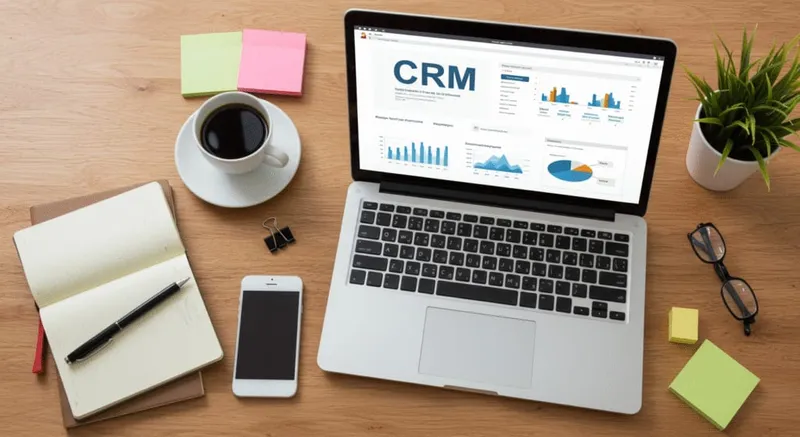
Best CRM for small business can transform how you handle daily tasks, from lead management to customer communication. Running a small business can feel overwhelming, especially with all the different hats you need to wear. The right CRM software for small business helps streamline business operations by organizing contacts, automating follow-ups, and reducing manual work In this post, we’ll explore five key issues that a CRM can solve instantly—whether you’re looking to track leads, improve efficiency, or boost customer relationships.
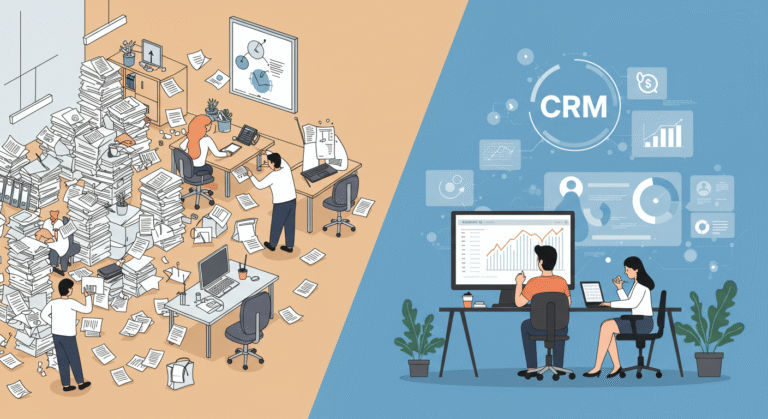
If you’re still relying on spreadsheets, sticky notes, or scattered email threads to manage customer information, you’re probably wasting valuable time. As your business grows, the chaos becomes harder to control, making it easy to miss important details or lose track of leads.
A CRM software for small business centralizes all customer information in one place, making it easy to track leads and contacts, manage details, and access data in real-time. Whether you’re organizing contacts by category or creating custom tags for quick searching, a CRM provides clarity.
Store customer info: Names, emails, phone numbers, and past interactions.
Categorize leads: Use tags or custom fields for specific needs (e.g., “Hot Lead” or “Follow-Up”).
Search and filter: Find what you need instantly with easy-to-use filters.
Tip: A CRM keeps your customer data organized and accessible, so you don’t miss a single opportunity to nurture relationships.
How many times have you meant to follow up with a lead or customer and then forgotten? Or worse, you’ve been too busy to send that follow-up email until it’s too late. Without an automated system, follow-ups can fall through the cracks, hurting your sales opportunities.
CRMs like LeadProspectingAI include automated client follow-up features, allowing you to set reminders or automate email sequences to keep customers engaged. This means no more missed opportunities—your follow-ups happen on time, every time. The best affordable CRM platform can also help you reduce your operating costs by automating these tasks.
Automated reminders: Set follow-up tasks and get notifications when they’re due.
Email sequences: Automatically send personalized messages to keep leads warm.
Expert Tip: Setting up an automated follow-up system in your CRM can increase your conversion rates significantly by ensuring your leads don’t slip through the cracks.
Tracking leads manually and keeping tabs on where each one is in the sales cycle can be difficult. You might have leads that are interested but haven’t yet converted, or some that need nurturing. Without a clear overview, it’s easy to lose focus or miss key steps in the process.
CRM software provides a clear visual of your sales pipeline management. You can track the status of each lead, set reminders for follow-ups, and easily see where each prospect is in the sales funnel.
Track lead stages: Identify where each lead is in the sales journey—whether they’re a prospect, a warm lead, or a closed deal.
Set tasks and reminders: Keep your sales process on track by assigning tasks at each stage of the funnel.
Monitor progress: Check how many leads are in each stage and identify bottlenecks.
Actionable Tip: Use CRM pipeline reports to spot where leads get stuck and improve conversion by addressing common obstacles.
As a small business owner, you’re probably handling multiple tasks daily—lead generation, customer support, marketing, and more. Manual processes like sending emails, creating invoices, and scheduling appointments can eat up time you don’t have.
With business automation tools built into CRM systems, you can automate repetitive tasks and free up more time for strategic work. From automatic email campaigns to invoicing, a CRM software for small business saves you hours every week. This includes features like lead tracking software that help you track customer engagement and optimize your sales strategy. This includes features like lead tracking software that help you track customer engagement and optimize your sales strategy.
Automated emails: Send personalized emails to prospects or customers based on their actions.
Scheduling tools: Automatically set up appointments or service reminders without lifting a finger.
Invoice automation: Generate and send invoices instantly, with integrated payment options.
Pro Tip: Automating your business processes doesn’t just save time—it ensures tasks are completed consistently, reducing human error.
One of the biggest challenges small businesses face is staying in touch with clients consistently. Without a CRM, it can be hard to remember important details like a client’s last purchase or their specific needs, leading to poor communication.
CRM systems help you build stronger customer relationships by tracking every interaction. You’ll always know when to check in, what to discuss, and how to personalize your communication, while using lead tracking software to ensure that you are following up with prospects at the right time.
Notes and history: Keep detailed records of client interactions for easy reference.
Multi-channel support: Communicate via email, SMS, or even social media, all from within your CRM.
Customer journey tracking: Understand your clients’ needs and send tailored offers.
Tip: A CRM helps you stay on top of customer needs and ensures you’re always ready to provide personalized service, leading to stronger loyalty and repeat business.

A CRM helps small businesses manage customer relationships more effectively. It streamlines tasks like contact management, follow-ups, and sales pipeline tracking, allowing you to focus on growing your business.
With automated follow-up features, CRMs ensure you never forget to reach out to a lead or customer. Automated reminders and email sequences help maintain communication and boost your chances of closing deals.
Look for features like lead tracking, sales pipeline management, automated follow-ups, and customer interaction history. These tools help small businesses stay organized and improve customer relationships.
Yes! Many CRM platforms offer affordable pricing, like LeadProspectingAI starting at just $99/month, making it accessible for small businesses to automate and streamline operations.
Choosing the best CRM for small business can transform the way you manage your customers, your team, and your processes. By solving key issues like disorganized contacts, inefficient follow-ups, and scattered sales efforts, a CRM system frees up your time and sets your business up for long-term success. Whether you’re new to CRM or looking to optimize your current system, LeadProspectingAI can help you streamline your business operations and foster stronger relationships with your customers.
Ready to take the next step? Sign up for LeadProspectingAI today and experience how the right CRM software can automate your workflow and supercharge your business growth.
Written by
LPAI Team
Helping businesses grow with AI-powered lead generation, CRM automation, and data-driven marketing strategies.

Set up a CRM in one weekend. Twin Falls and Magic Valley service businesses can capture leads, automate follow-up, and stop losing jobs with a simple system.

Set up a service business CRM in one weekend without complexity. Learn how to capture leads, automate follow-up, stay organized, and build a system that works while you focus on the job.

If you’re active in Twin Falls Chamber events, Jerome business groups, or trade associations across the Magic Valley, you already have the hardest part of affiliate marketing solved: trust. One-
Modern, SEO-optimized websites designed to turn visitors into customers.
Get a Free QuoteBest CRM for small business can transform how you handle daily tasks, from lead management to customer communication. Running a small business can feel overwhelming, especially with all the different hats you need to wear. The right CRM software for small business helps streamline business operations by organizing contacts, automating follow-ups, and reducing manual work In this post, we’ll explore five key issues that a CRM can solve instantly—whether you’re looking to track leads, improve efficiency, or boost customer relationships.
If you’re still relying on spreadsheets, sticky notes, or scattered email threads to manage customer information, you’re probably wasting valuable time. As your business grows, the chaos becomes harder to control, making it easy to miss important details or lose track of leads.
A CRM software for small business centralizes all customer information in one place, making it easy to track leads and contacts, manage details, and access data in real-time. Whether you’re organizing contacts by category or creating custom tags for quick searching, a CRM provides clarity.
Store customer info: Names, emails, phone numbers, and past interactions.
Categorize leads: Use tags or custom fields for specific needs (e.g., “Hot Lead” or “Follow-Up”).
Search and filter: Find what you need instantly with easy-to-use filters.
Tip: A CRM keeps your customer data organized and accessible, so you don’t miss a single opportunity to nurture relationships.
How many times have you meant to follow up with a lead or customer and then forgotten? Or worse, you’ve been too busy to send that follow-up email until it’s too late. Without an automated system, follow-ups can fall through the cracks, hurting your sales opportunities.
CRMs like LeadProspectingAI include automated client follow-up features, allowing you to set reminders or automate email sequences to keep customers engaged. This means no more missed opportunities—your follow-ups happen on time, every time. The best affordable CRM platform can also help you reduce your operating costs by automating these tasks.
Automated reminders: Set follow-up tasks and get notifications when they’re due.
Email sequences: Automatically send personalized messages to keep leads warm.
Expert Tip: Setting up an automated follow-up system in your CRM can increase your conversion rates significantly by ensuring your leads don’t slip through the cracks.
Tracking leads manually and keeping tabs on where each one is in the sales cycle can be difficult. You might have leads that are interested but haven’t yet converted, or some that need nurturing. Without a clear overview, it’s easy to lose focus or miss key steps in the process.
CRM software provides a clear visual of your sales pipeline management. You can track the status of each lead, set reminders for follow-ups, and easily see where each prospect is in the sales funnel.
Track lead stages: Identify where each lead is in the sales journey—whether they’re a prospect, a warm lead, or a closed deal.
Set tasks and reminders: Keep your sales process on track by assigning tasks at each stage of the funnel.
Monitor progress: Check how many leads are in each stage and identify bottlenecks.
Actionable Tip: Use CRM pipeline reports to spot where leads get stuck and improve conversion by addressing common obstacles.
As a small business owner, you’re probably handling multiple tasks daily—lead generation, customer support, marketing, and more. Manual processes like sending emails, creating invoices, and scheduling appointments can eat up time you don’t have.
With business automation tools built into CRM systems, you can automate repetitive tasks and free up more time for strategic work. From automatic email campaigns to invoicing, a CRM software for small business saves you hours every week. This includes features like lead tracking software that help you track customer engagement and optimize your sales strategy. This includes features like lead tracking software that help you track customer engagement and optimize your sales strategy.
Automated emails: Send personalized emails to prospects or customers based on their actions.
Scheduling tools: Automatically set up appointments or service reminders without lifting a finger.
Invoice automation: Generate and send invoices instantly, with integrated payment options.
Pro Tip: Automating your business processes doesn’t just save time—it ensures tasks are completed consistently, reducing human error.
One of the biggest challenges small businesses face is staying in touch with clients consistently. Without a CRM, it can be hard to remember important details like a client’s last purchase or their specific needs, leading to poor communication.
CRM systems help you build stronger customer relationships by tracking every interaction. You’ll always know when to check in, what to discuss, and how to personalize your communication, while using lead tracking software to ensure that you are following up with prospects at the right time.
Notes and history: Keep detailed records of client interactions for easy reference.
Multi-channel support: Communicate via email, SMS, or even social media, all from within your CRM.
Customer journey tracking: Understand your clients’ needs and send tailored offers.
Tip: A CRM helps you stay on top of customer needs and ensures you’re always ready to provide personalized service, leading to stronger loyalty and repeat business.
A CRM helps small businesses manage customer relationships more effectively. It streamlines tasks like contact management, follow-ups, and sales pipeline tracking, allowing you to focus on growing your business.
With automated follow-up features, CRMs ensure you never forget to reach out to a lead or customer. Automated reminders and email sequences help maintain communication and boost your chances of closing deals.
Look for features like lead tracking, sales pipeline management, automated follow-ups, and customer interaction history. These tools help small businesses stay organized and improve customer relationships.
Yes! Many CRM platforms offer affordable pricing, like LeadProspectingAI starting at just $99/month, making it accessible for small businesses to automate and streamline operations.
Choosing the best CRM for small business can transform the way you manage your customers, your team, and your processes. By solving key issues like disorganized contacts, inefficient follow-ups, and scattered sales efforts, a CRM system frees up your time and sets your business up for long-term success. Whether you’re new to CRM or looking to optimize your current system, LeadProspectingAI can help you streamline your business operations and foster stronger relationships with your customers.
Ready to take the next step? Sign up for LeadProspectingAI today and experience how the right CRM software can automate your workflow and supercharge your business growth.
Written by
LPAI Team
Helping businesses grow with AI-powered lead generation, CRM automation, and data-driven marketing strategies.

Set up a CRM in one weekend. Twin Falls and Magic Valley service businesses can capture leads, automate follow-up, and stop losing jobs with a simple system.

Set up a service business CRM in one weekend without complexity. Learn how to capture leads, automate follow-up, stay organized, and build a system that works while you focus on the job.

If you’re active in Twin Falls Chamber events, Jerome business groups, or trade associations across the Magic Valley, you already have the hardest part of affiliate marketing solved: trust. One-
Modern, SEO-optimized websites designed to turn visitors into customers.
Get a Free Quote